
If you are planning to buy jewellery ERP software, one of your first questions will be about the price.
But there is no fixed price for every jewellery business. A small jewellery shop may need billing, stock records and customer details. A manufacturer may also need production planning, karigar management and metal tracking.
The total cost depends on the software licence, users, branches, setup, training and support. This guide explains what changes the price and how to compare quotations without paying for features you do not need.
How much does jewellery ERP software cost in India?
Jewellery software prices vary because the products serve different needs. Some vendors charge every month. Others charge once for the licence and then collect fees for support or hosting.
The table below uses prices published on the providers’ own websites. Check the latest price and what the plan includes before purchasing.
| Software | Published price | What to check |
|---|---|---|
| CaratOS | Starter ₹1,199 per month, including GST. Growth ₹3,999 per month or ₹42,999 per year, including GST. | The plans have different staff access and business features. |
| Infovion JMS | ₹9,999 per shop per year, plus GST. | Billing, stock, barcode tags and other shop functions. |
| JewelGrow | Starts at ₹70,000 plus GST. | Its model includes an initial payment and a yearly subscription. Exact plan prices need a quotation. |
| TallyPrime Silver | ₹750 per month plus GST, or ₹22,500 plus GST for a lifetime licence. | General accounting software, not a complete jewellery manufacturing ERP. |
| Joolet | Quote required. No fixed ERP price is published on the website. | Ask for a quotation based on your inventory, manufacturing and user needs. |
Price note: These are prices for specific products and plans, not a market average. Some prices include GST and some do not. Implementation, hardware and support may be charged separately.
Jewellery ERP pricing models explained
There are several ways to pay for software. The right model depends on how much you want to spend at the beginning and what you expect to use over the next few years.
Monthly subscription
You pay each month. This lowers the initial payment, but costs continue while the subscription is active. Check the charges for extra users or branches.
Annual subscription
You pay for a year of access. Some vendors offer a lower effective monthly price. Ask what happens at renewal.
Permanent licence
You make a larger payment at the start. Hosting, upgrades and support may still involve regular charges. Read the licence terms.
Custom ERP
The system is built or changed for particular workflows. Development, testing and long term maintenance affect the quotation.
Cloud software and software installed on your own computers are deployment choices. Both may be offered with different licence models.
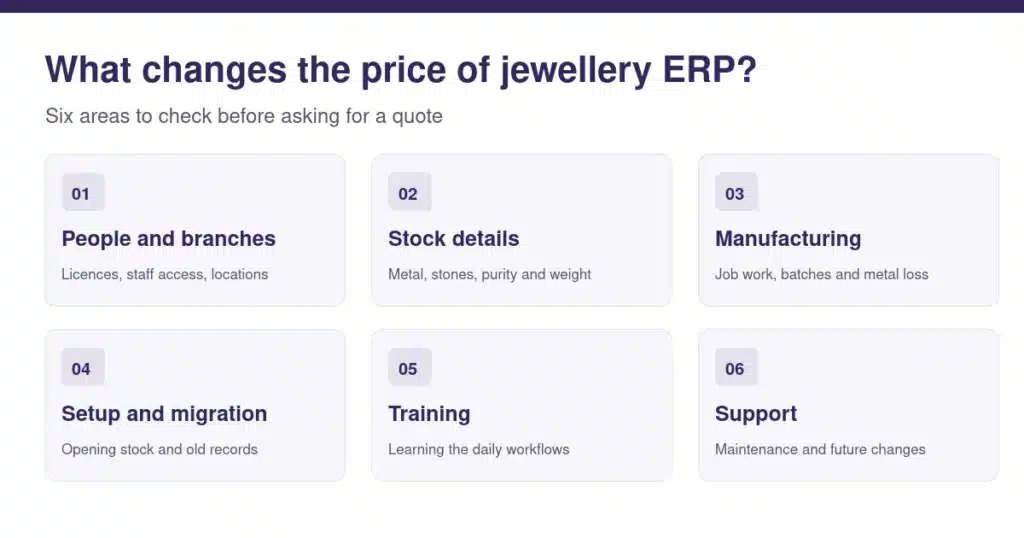
14 factors that affect jewellery ERP pricing
1. Type of jewellery business
A showroom usually focuses on billing, stock and customer service. A wholesaler may need trade quotations and large orders. Manufacturers also need to track work in progress, metal issued to karigars and finished goods. Different workflows need different software functions.
2. Number of users
Some plans include one user. Others allow several employees. Ask if the vendor charges for each named user or for the number of people using the software at the same time. Make sure the quote covers the owner, billing staff, stock staff and accountant who need access.
3. Number of branches
A single shop can manage stock in one location. Several branches need transfer records, permissions and reports for each location. Some providers charge for every additional showroom. Ask what happens when you open another branch.
4. Inventory complexity
Jewellery stock is not just a product name and quantity. Records may include gross weight, net metal weight, purity, stones, designs, sizes and different item types. Businesses selling gold, silver and diamonds may need more detailed masters and stock reports.

5. Jewellery specific calculations
Ask the vendor to show how the system handles purity, fine metal, making charges and wastage. Consider a ring with a gross weight of 12 grams and 2 grams of stones. The metal weight needs to be separated before the rate and other charges are applied. Test this using a sample item from your shop.
6. Billing, GST and accounting
Basic billing software can create invoices and keep sales records. An ERP may also connect purchases, stock, orders and accounts. Ask how GST is applied to your transactions, what reports are available and whether any applicable electronic invoicing requirements are supported. Your accountant should confirm the tax treatment.
7. Barcode and RFID systems
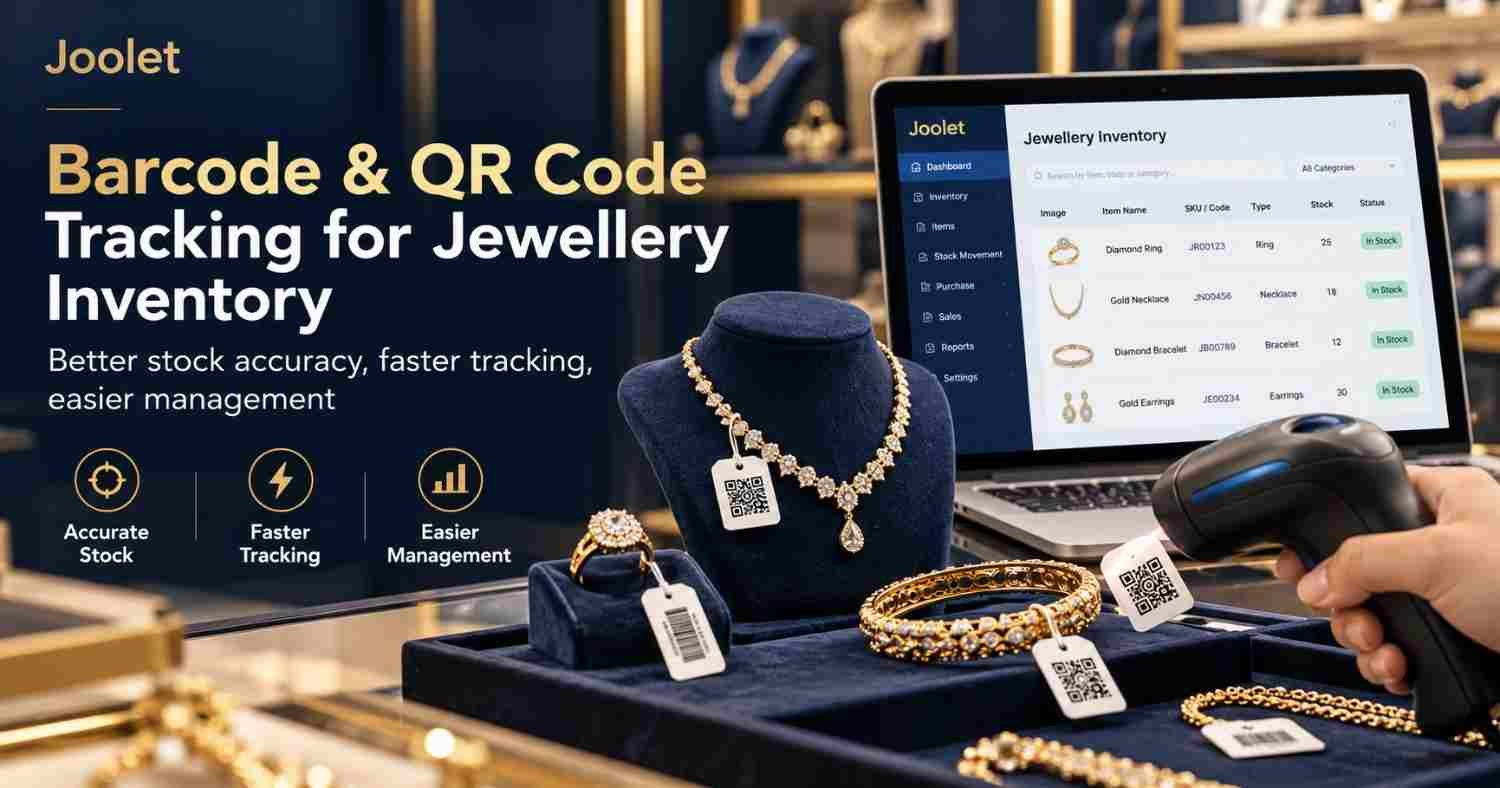
Tags and scanners can help staff identify products and check stock. But barcode printers, labels, scanners and RFID equipment may cost extra. Ask which devices work with the software and whether setup is included in the quotation.
8. Manufacturing management
Manufacturers often need more than finished stock records. They may track production orders, stages, karigar work, metal issued, returned items and remaining balances. A system that only records the finished piece will not cover the whole process.

9. Cloud or local installation
Cloud systems may include hosting and backups in a subscription. Locally installed systems can require computers, networking, backups and technical support. Compare the complete infrastructure cost instead of only the software price.
10. Customisation
A business may need special approval steps or production reports. Some vendors can configure these within the standard product. Others charge for development. Ask whether changes will work after future updates.
11. Data migration
Moving from Excel or old software takes preparation. Product codes, customer balances and opening stock may need cleaning before import. Ask how the vendor checks the imported records and whether the migration work is included.
12. Training and implementation
Employees need to understand the new system before using it for daily work. Setup may include master data, user access, invoice formats and opening balances. Ask how many training sessions are included and what additional sessions cost.
13. Other software integrations
You may want to connect accounting software, a website, payment services or other systems. Integration work can increase both setup and maintenance costs. Ask for a clear demonstration of the data flow you require.
14. Support, maintenance and upgrades
Find out when help is available and what the support covers. Check the charges for onsite assistance, new reports, updates and annual maintenance. A low licence price may become less attractive if important services are billed separately.
Cloud vs local installation: which costs less?
Neither option is always cheaper. Look at the actual infrastructure and services included in the quotation.
| Question | Cloud software | Local installation |
|---|---|---|
| Initial infrastructure | Often needs less local server setup. | May require local machines or a server. |
| Ongoing cost | Usually recurring hosting or subscription charges. | May involve maintenance, backups and technical help. |
| Access across locations | Often designed for access through a network connection. | Depends on the product and network setup. |
| Backups and security | Check what the vendor manages and guarantees. | Check who is responsible for local backups and recovery. |
Ask both vendors how their software works during an internet or server failure. You should also know how to export your business data.
How ERP requirements change by business type
Small independent jewellery shop
A small store may need billing, stock, customer records and basic reporting. If it does not manufacture jewellery, paying for production modules may not make sense.
Growing retail showroom
As sales and stock increase, barcode tracking, stock audits, purchase records and staff access become more useful. Choose software that can support the next stage of the business.
Retailer with several branches
Branch transfers and combined reports become important. Ask for a demonstration of stock moving from one showroom to another, including the receiving confirmation.
Jewellery wholesaler
Bulk orders, quotations, party balances and approvals may matter more than retail counter features. Explain your normal order process before comparing plans.
Jewellery manufacturer
Manufacturers should test production batches, karigar balances, material consumption and costing. These functions can require more setup and training than a basic billing system.
Calculate the total cost of ownership
Total cost of ownership means the full amount you spend on the system over time. It includes setup and everything you pay to keep it working.
Simple formula: Initial licence or setup + subscriptions + training + hardware + integrations + maintenance = total ownership cost.
Here is a comparison using made up figures. The numbers show how to calculate cost. They are not quotations from Joolet or any other vendor.
| Cost | Example A: subscription | Example B: permanent licence |
|---|---|---|
| Initial software and setup | ₹10,000 setup | ₹65,000 licence + ₹15,000 setup |
| Recurring fee | ₹24,000 each year | ₹6,000 maintenance each year from year two |
| After 1 year | ₹34,000 | ₹80,000 |
| After 3 years | ₹82,000 | ₹92,000 |
| After 5 years | ₹1,30,000 | ₹1,04,000 |
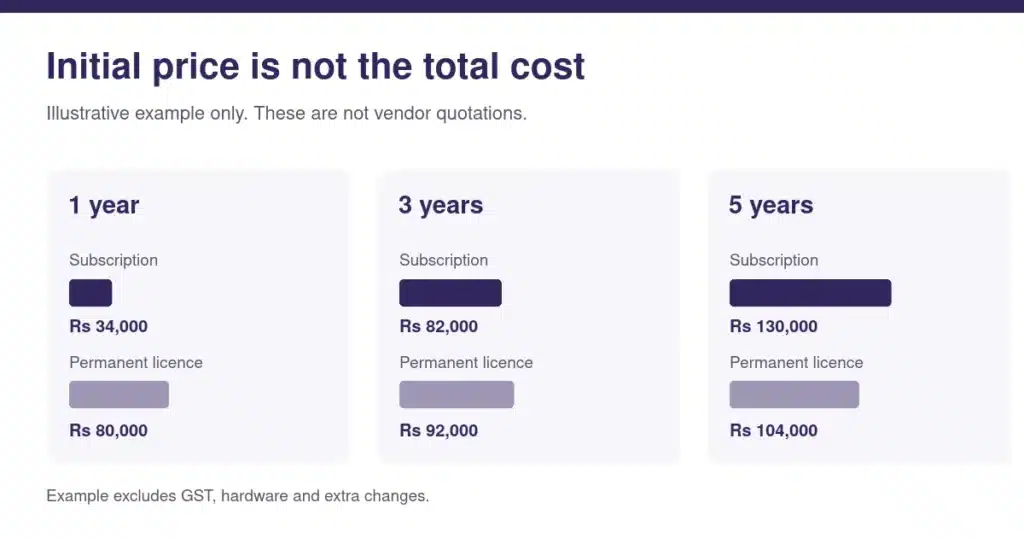
In this example, the subscription is cheaper to start. The permanent licence becomes cheaper after several years. But that does not prove one model is better. The subscription may include hosting and services that the other licence does not.
Always compare the same set of features and services. A low initial price can hide later expenses.
How to choose jewellery ERP software within your budget
Start by writing down the problems in your daily work. This could be slow stock checks, missing transfer records or difficulty tracking metal with karigars.
Then separate essential features from things you might need later. Ask each vendor to demonstrate the same workflow using your own sample data. A practical demonstration is more useful than a long feature list.
Questions to ask before buying
- Is the price monthly, yearly or a permanent licence?
- How many staff members and branches are included?
- Which modules or reports cost extra?
- Does the quotation include installation and opening stock migration?
- Can the system handle our purity, weight, stones and stock records?
- Can you demonstrate our manufacturing or billing process?
- Which printers and scanners work with the product?
- How many staff training sessions are included?
- What do support and maintenance cost later?
- Can we export all our data if we move to another system?
- What is the complete cost for one, three and five years?
Get the answers in writing. It makes software quotations much easier to compare.
Frequently asked questions
What is the average jewellery ERP software price in India?
There is no reliable single average for every type of jewellery business. Prices vary by product, features and setup requirements. Compare published plans and obtain quotations for your specific needs.
Is jewellery ERP more expensive than billing software?
It can be. Billing software focuses mainly on invoicing and basic records. ERP may also include manufacturing, purchasing, inventory, approvals and reporting.
Is cloud jewellery ERP cheaper than desktop software?
Not always. A cloud subscription can cost less at the start, while locally installed software may need more hardware and maintenance. Compare at least three years of total cost.
Does jewellery ERP include GST billing?
Many systems provide GST billing, but the details vary. Check invoice types, applicable tax rules, reporting and any requirements that apply to your business.
Can a jewellery business move from Excel to ERP?
Usually, but the work depends on the quality of your existing data. Clean and verify product codes, stock balances and account records before moving them.
What should a jewellery manufacturer test before buying ERP?
Test metal issue and receipt, job work, production batches, permitted wastage and finished stock reports. These workflows should work with real examples from your business.
How Joolet fits into the decision
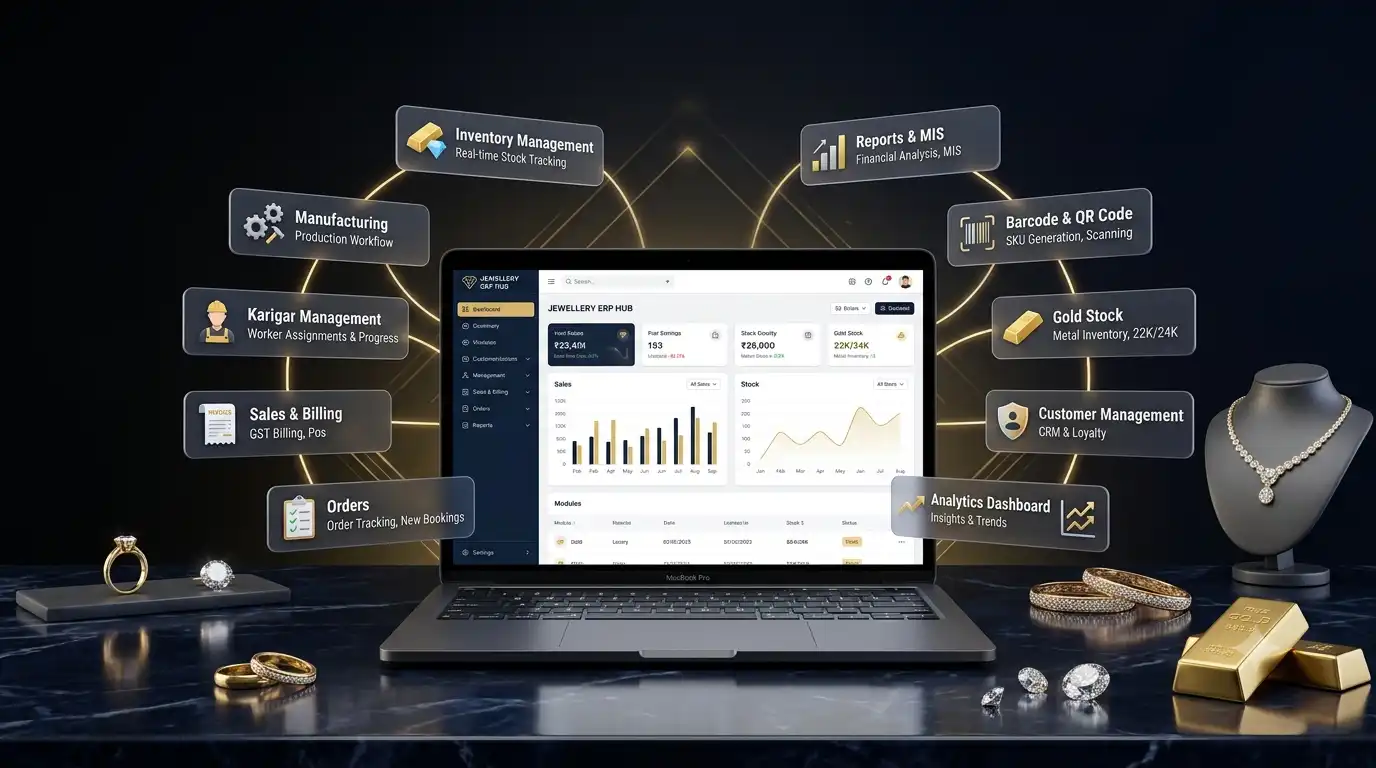
Joolet provides jewellery ERP software for retailers, wholesalers and manufacturers. Its product materials cover design and SKU records, inventory, purchase and sales processes, manufacturing and karigar work.
Joolet does not show a fixed ERP licence price on its website. If you want a quotation, prepare your number of users, branches, products and required workflows. Ask the Joolet team to demonstrate those processes before deciding.
You can also read Joolet’s jewellery inventory software page, manufacturing cost guide and software buying guide.
Get a quote based on your business
Tell Joolet what you need to manage. The team can explain the software, show a demo and provide pricing for your requirements.
Pricing sources: CaratOS, Infovion, JewelGrow, TallyPrime. Prices and plans can change. Check with the provider before paying.